










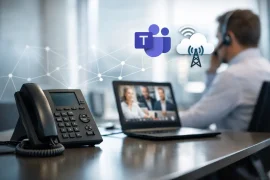
When employees use Microsoft Teams to chat and hold meetings but still have to reach for a desk phone or a second application for external calls, it creates unnecessary work. A well-designed Teams Integration Turns Teams into a full-fledged business phone system: reachable via your familiar business number, with clear rules for availability, and featuring the capabilities of a professional phone system.
For Swiss SMEs and organizations with multiple locations, this is not just about an additional calling feature. What matters most is that existing phone numbers, call-handling processes, groups, cell phones, and IT security work together seamlessly. This ensures that communication remains easy to use, even when the technical architecture behind the scenes is complex.
What a Teams integration must be able to do
Microsoft Teams excels at collaboration, meetings, and internal communication. For external business calls, however, it requires a connection to the public switched telephone network as well as a call routing system that reflects day-to-day business operations. This includes direct extensions, call groups, business hours, call queues, voice menus, and displaying the correct business number for outgoing calls.
A good Teams integration therefore combines three levels: Microsoft Teams as the user interface, a PBX for managing telephony, and a SIP or Microsoft Teams trunk for connecting to the telephone network. Employees make calls directly from Teams, while the phone system works in the background to determine where a call is routed and which rules apply.
This is an important difference from a simple call forwarding. For example, an incoming call to the main number can first be greeted by an IVR, then routed to the appropriate queue, and, if not answered, forwarded to a substitute or voicemail. The processes remain centrally manageable, regardless of whether employees are working in the office, from home, or on the go.
External Calling in Teams: The Right Architecture
There are several ways to connect Teams to the public telephone network. The best option depends on the size of the company, existing contracts, desired PBX features, and security and management requirements.
Direct Routing with SIP Trunking
With Direct Routing, Microsoft Teams is connected to a SIP trunk via a Session Border Controller (SBC). The SBC acts as the controlled interface between Microsoft 365 and the telephony environment. It secures the voice connection, manages signaling, and ensures that Teams works with the desired carrier and existing phone numbers.
This solution offers a great deal of flexibility. Companies can retain their Swiss phone numbers or activate new ones, integrate international locations, and continue to use a wide range of PBX features. Direct Routing is often the ideal foundation, especially for more complex requirements—such as those involving multiple companies, call flows, or CRM integration.
However, the effort involved is greater than with a simple cloud connection. SBC, network configuration, licenses, and responsibilities must be carefully planned. For small teams with few standard requirements, a more streamlined solution may suffice. However, organizations that view telephony as a business-critical process will benefit from the control and scalability it offers.
Native PBX Integration for Teams
A PBX that directly supports Microsoft Teams can significantly simplify the architecture. The Ayrix phone system from Winet natively integrates Teams with business telephony, without the need for separate Teams add-ons or SBC components that require licensing fees. This allows key functions such as IVR, call groups, presence management, call routing, and reporting to be managed within a single environment.
The benefit is particularly evident during day-to-day operations. New employees, locations, or extensions can be set up more quickly because there is no need to maintain multiple platforms independently of one another. This reduces sources of error and creates clear lines of responsibility. Nevertheless, you should first check which Microsoft 365 licenses are available and whether there are any special requirements, such as contact center features, analog devices, or third-party integrations.
Operator Connect and Calling Plans
Microsoft offers additional options through Operator Connect and Calling Plans. These can be useful for companies that want to source as much as possible directly from Microsoft or that have only modest telephony needs. However, the selection of carriers, the available PBX features, and the flexibility in configuration are limited depending on the country and setup.
Anyone looking to retain existing telephony processes, Swiss phone numbers, or a differentiated cost structure should not compare the options based solely on the monthly price. Other relevant factors include number portability, service quality, availability, administration, and how well the solution scales with growth.
Which Features Really Matter in Everyday Life
A Teams integration is successful when it not only works technically but also simplifies workflows. A sales team needs different features than a reception desk, a service desk, or a construction site management team.
At the front desk, clearly defined call groups, call routing rules, and call handling procedures are crucial. Instead of a main number ringing on a single device, it can ring simultaneously or in order of priority on multiple devices. During periods of high call volume, call queues keep callers informed and distribute calls in a transparent manner.
In sales, having a professional caller ID is key. Employees can make calls from Teams using the company’s main number or their personal extension without revealing their personal cell phone numbers. Presence information helps them reach specific colleagues or forward calls to available team members.
For service and administration, analytics and transparent processes are essential. Which teams receive the most calls? How long do customers wait? Where are calls lost? While such data cannot replace a good team, it does provide very concrete insights into where call routing rules or resources should be adjusted.
Porting phone numbers instead of reinventing communication
When switching to Teams, the first question that often arises is what will happen to existing phone numbers. The good news is that business phone numbers can often be ported. Customers and suppliers can continue to reach the company at the familiar numbers, while the technical infrastructure changes behind the scenes.
However, porting requires preparation. The number range, contract holders, notice periods, and current provider information must be recorded accurately. If there are multiple locations or international numbers, additional factors come into play. A well-organized porting plan ensures that, on the day of the switchover, no individual extensions are missing and that calls do not accidentally go to the old provider.
At the same time, it’s worth taking a look at the numbering structure. Not every legacy extension needs to remain unchanged. Perhaps a new department needs its own service number, a location needs a local phone number, or a marketing campaign needs a number that can be tracked separately. The migration is a good opportunity to streamline established structures in a targeted manner without compromising accessibility.
Security and voice quality are part of the planning process
Phone calls via Teams travel over the network. That’s why call quality isn’t determined by the phone system alone. The internet connection, LAN, Wi-Fi, firewall rules, and voice traffic prioritization must all work together. When there are many simultaneous calls or multiple locations, a capacity assessment is a must, not an option.
A professionally configured SBC and a properly configured firewall help reduce unauthorized access and misuse. Equally important are clear permissions in Microsoft 365, multi-factor authentication, and a process for employee onboarding and offboarding. If a user account is deactivated, access to telephony, the mailbox, and sensitive communication data must also be clearly regulated.
When setting up home offices, it’s important to consider how they interact with the home internet connection. Teams can make up for a lot, but no PBX feature can fix an unstable Wi-Fi connection. For critical roles, wired connections, appropriate headsets, and defined support channels can make the difference between acceptable and reliable availability.
How to Ensure a Smooth Rollout Without Interruptions
The best way to get started isn’t with configuration, but with an assessment. What numbers are available? What call routes exist? Who needs what permissions? And which processes absolutely must not fail during a migration? These questions are what turn a technical project into a fully operational communications solution.
Next, a target configuration is defined: Teams users, desk phones, common areas, reception, emergency response plan, locations, and external applications such as CRM or ERP. Not everyone needs the same set of features. A tiered setup helps avoid unnecessary licensing and operating costs.
Before a broad rollout, it is advisable to conduct a pilot with a small group of users. This allows you to test audio quality, call forwarding, devices, and user guidance under real-world conditions. Only once the key scenarios are working properly should migration and the switch to production follow. For the switchover day, you’ll need a designated point of contact, accessible support, and clear communication to employees.
A Teams integration shouldn't mean your employees have to think more about technology. When your main number, extension, Teams, mobile devices, and phone system work together reliably, you can focus on what matters most on the phone: helping customers quickly and professionally.
Current
Why does Microsoft Teams need Direct Routing?

VoIP Provider Reviews for Businesses
Redundant Internet connection or a single connection?

Corporate Communications: Data Protection Guidelines

How secure are cloud PBX systems for Swiss small and medium-sized businesses?