

myWinet Tips & Tricks

myWinet has been used by our customers and partners for a long time now and has since established itself as A helpful tool for customer management has been established. The myWinet customer portal not only allows customers to view, download, and review invoices, but also offers access to a wide range of additional features. This gives customers a comprehensive overview of all the products and services they have purchased, as well as control over the configurations for their telephone service with Winet. Customers thus have access to a much wider range of features that can be helpful in managing their own telephone service. If additional support is needed, customers can contact the Contact contact our Winet Customer Service Team. To now Benefits of myWinet To highlight this for our customers and partners, we've compiled the best tips and tricks for myWinet in this post.
A Brief Introduction to myWinet
Any customer who purchases a product or service from us through the Winet Shop will be granted access to our customer portal myWinet. Access is provided through a personal account, and the login credentials and password are sent directly to the customer via email as a PDF document after the order is placed. From that point on, the customer can use myWinet.
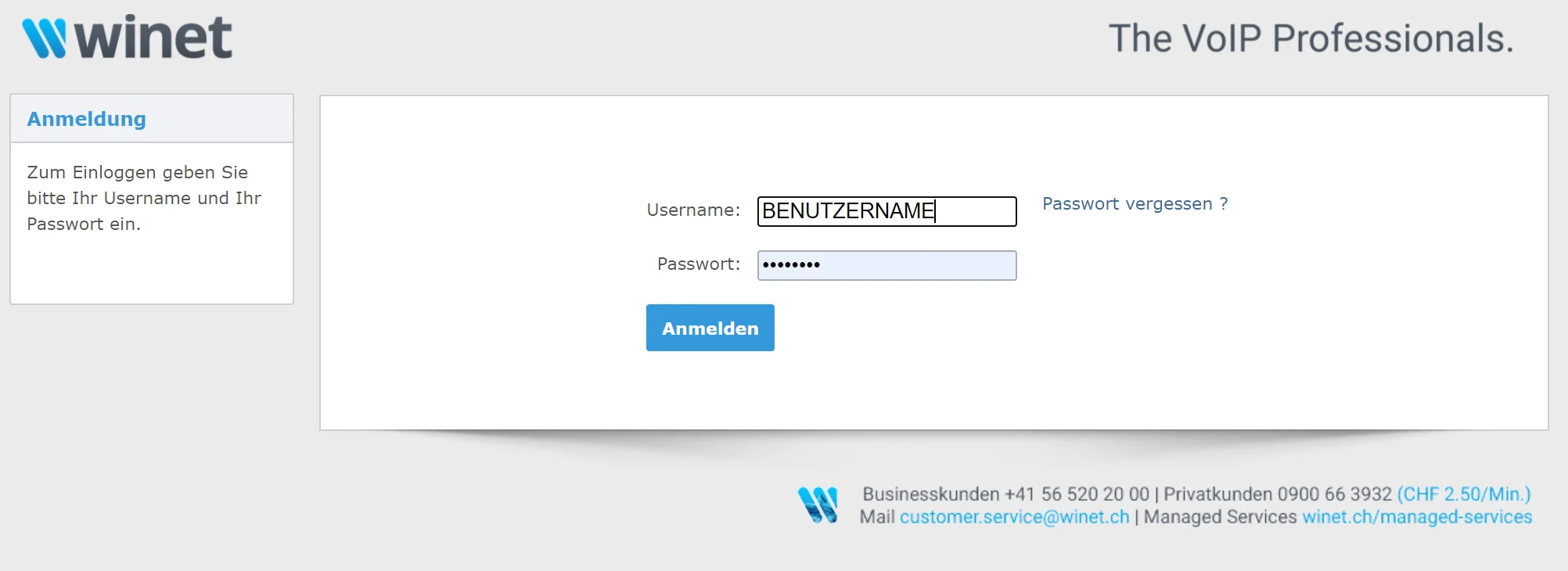
As soon as a customer orders a bottle, this is reflected in our Winet Customer Service system, and the bottle is automatically added to the account in myWinet. The Customer Service team then updates the account information and enters any missing data in consultation with the customer. If necessary, the customer can also change their account password on myWinet.
It's important to know that every customer, using their email address, just one account may own (if the email address is already registered with myWinet and you are unable to create an account for this reason, our Customer Service team will be happy to assist you). However, a customer with the same account may have multiple numbers and multiple locations be entered and managed in his account. It makes sense to have multiple locations, for example, if the billing address is different from the main location.
The Key Features of myWinet
On myWinet, customers have a complete overview of the phone and trunk numbers they have subscribed to. Customers can also block certain numbers and view their own blacklist. Some examples of this would be 0900 numbers or certain numbers from abroad. Blocked numbers can be viewed under the «Blocked Numbers» section.
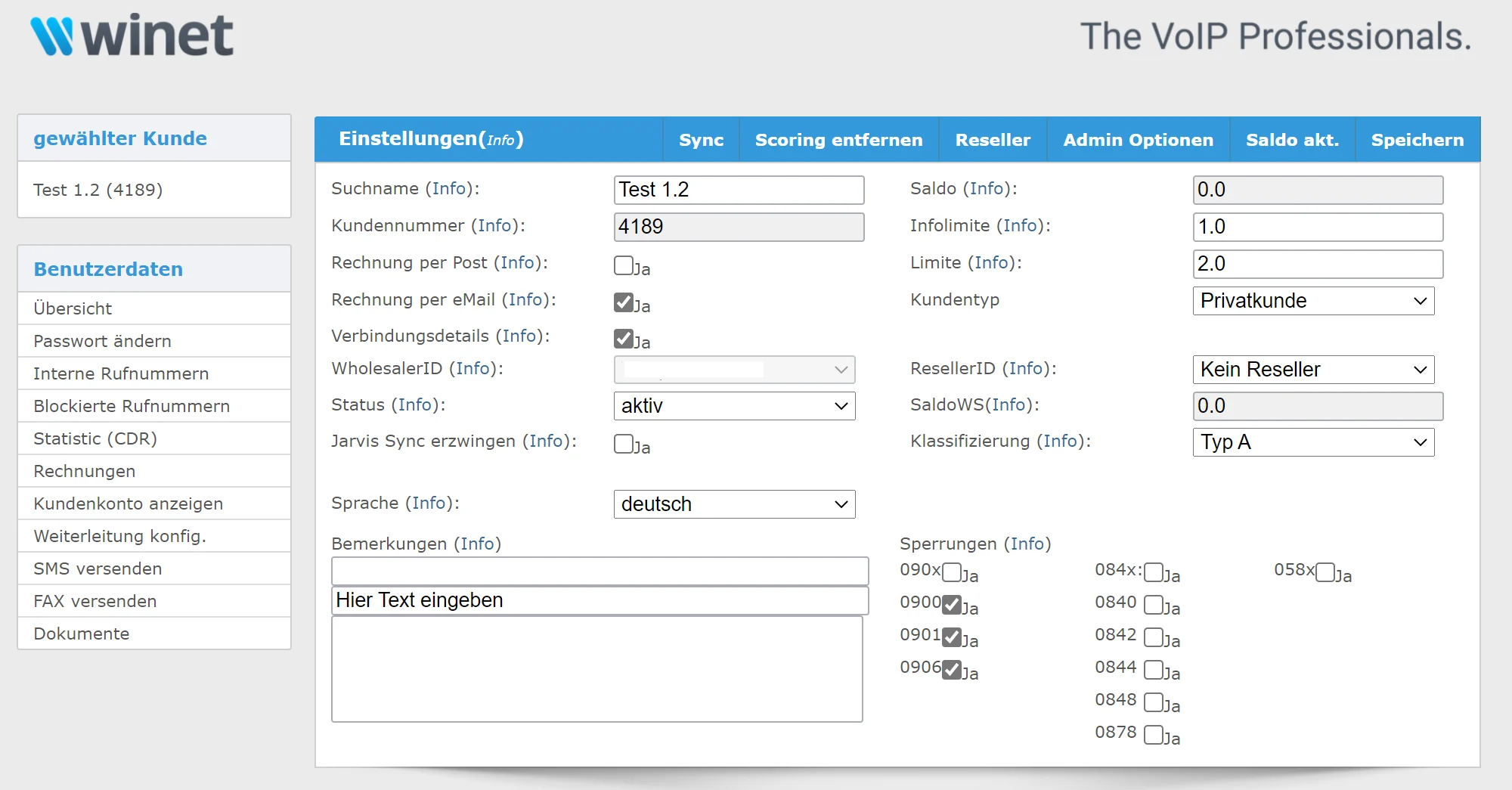
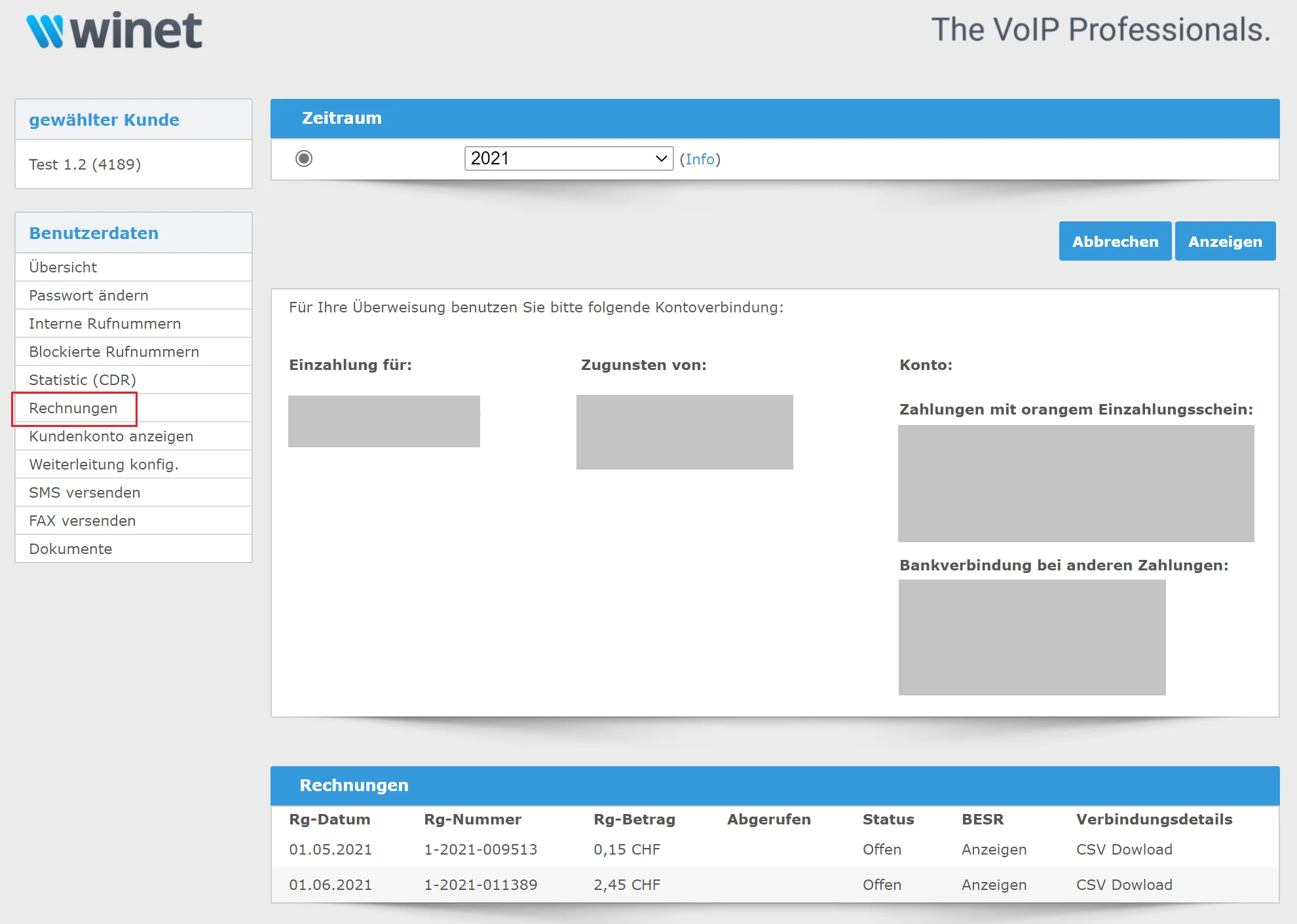
Furthermore, the customer has the General Overview about their paid and outstanding invoices. Customers can choose to receive invoices «by email» or «by mail.» Any change to the invoice method is automatically applied to the next invoice. If certain invoices remain unpaid, their status will be displayed as «unpaid» under the «Invoices» section. In this case, the customer can pay their outstanding invoices by the due date. The «notification threshold» is set at 150 CHF and the “blocking threshold” at 250 CHF. This means that the customer will be notified for invoices totaling 150 CHF or more, and their account will be suspended by us for invoices totaling 250 CHF or more. In this case, please contact our Customer Service directly to make the payment and prevent any suspension.
Under the «Invoices» section, customers can download their invoices. All they have to do is Click on the corresponding invoice number And the download will start right away.
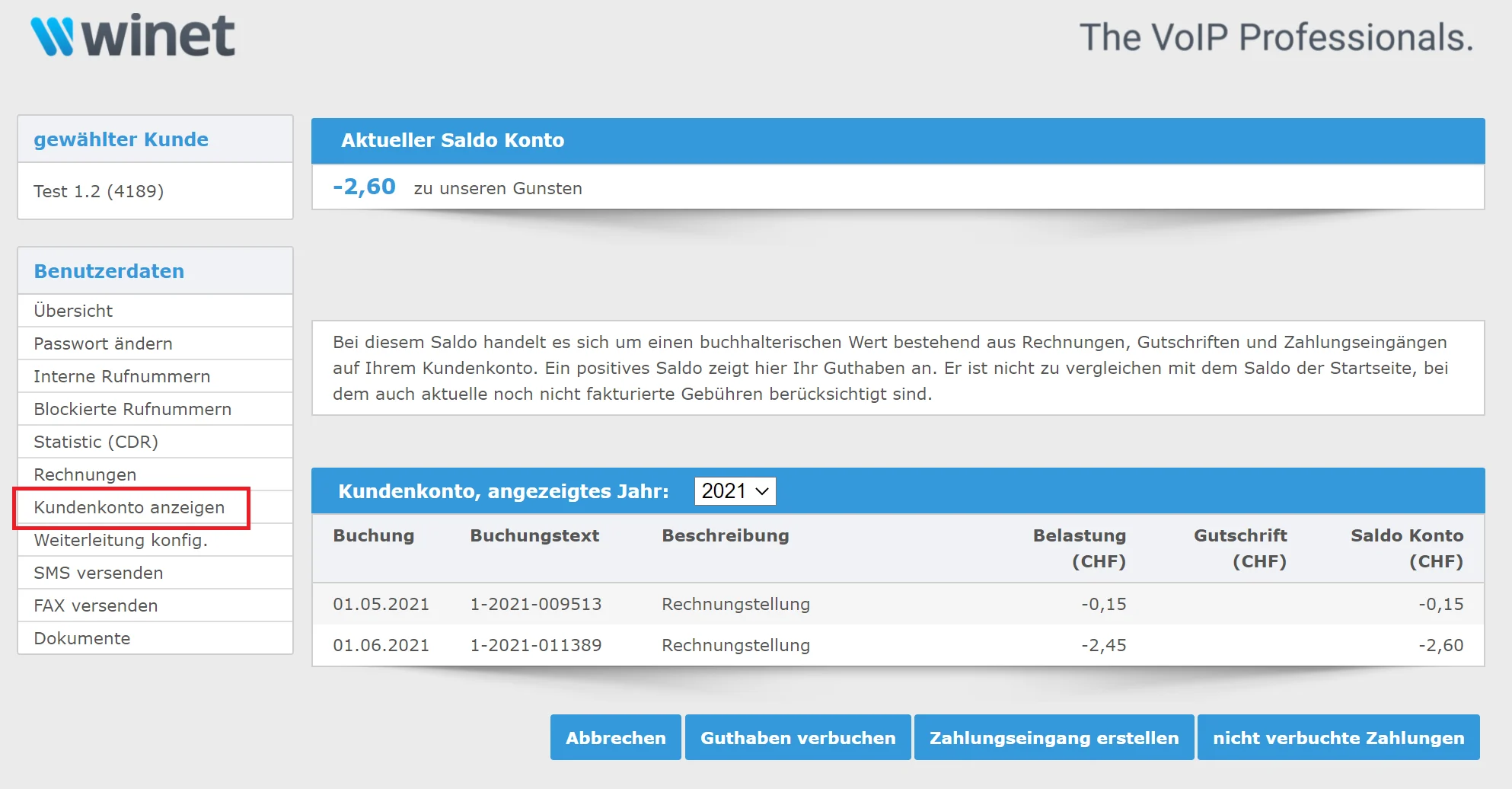
Under the «Overview» section, the customer can view their Balance view all of his costs to date. The total balance in the «Overview» section should not be confused with the balances in the «View Customer Account» section. Since the invoice balance only totals the outstanding invoices, it is always less than the total balance from the customer account (total balance = outstanding invoices + current connection costs + monthly fees).
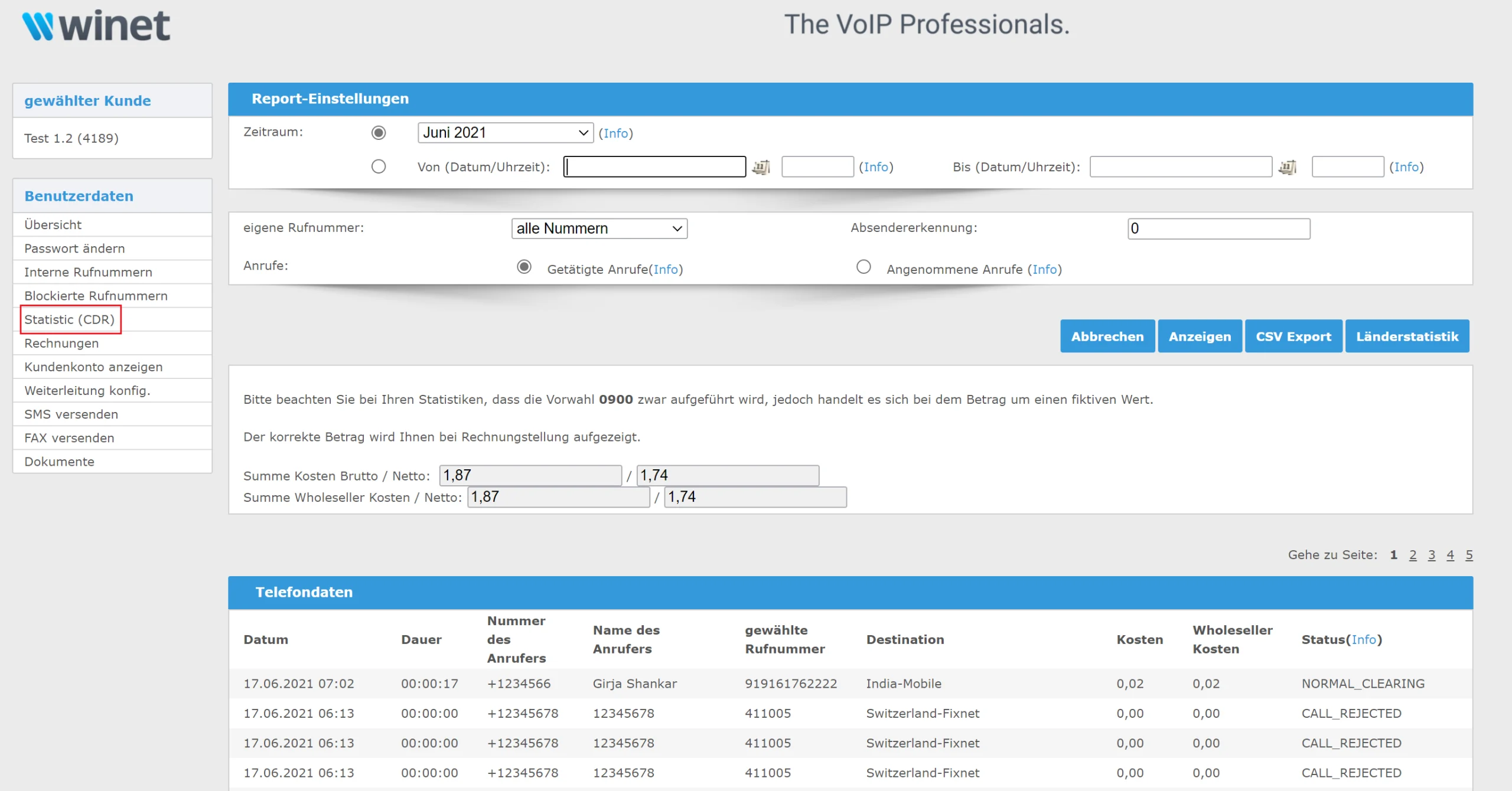
Under the «Statistics (CDR)» section, the customer can Personal reports by month and by number view. To do so, the customer can select a time period for the report or filter by specific numbers or call types. This provides the customer with an overview of individual phone costs over a specific time period, allowing them to draw important conclusions about their company’s calling patterns after analyzing the data.
In addition, myWinet allows users to set up call forwarding and send direct messages via text message and fax. To do so, customers also have the option of ordering a faxBox and/or voiceBox. If desired, the customer can Contacting Customer Service record.
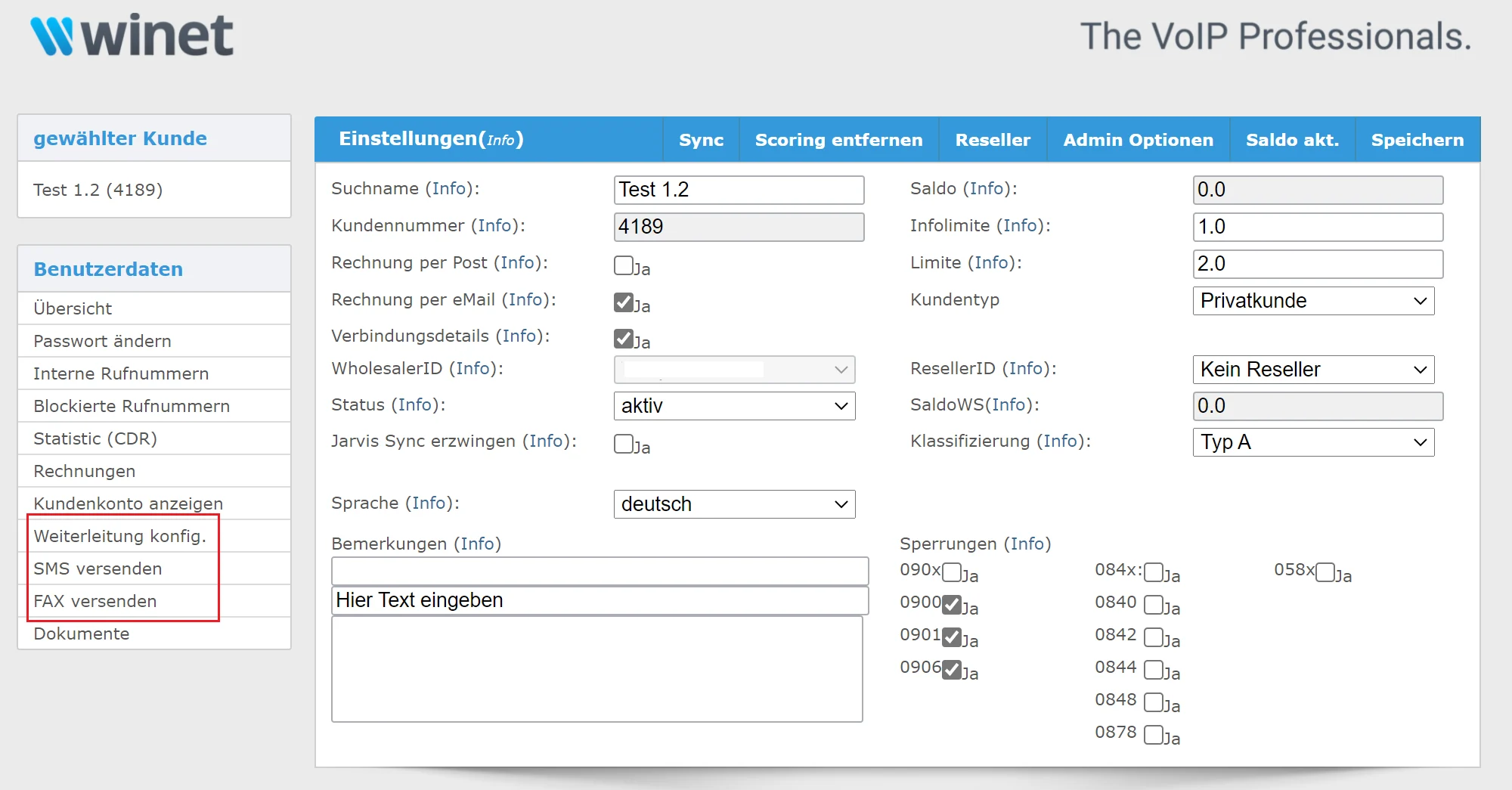
Finally, don't forget to save all the changed settings on myWinet save! Otherwise, the customized fields will be lost. By clicking the «Save» button in the upper right corner, all your customizations will be saved to myWinet.
What benefits do customers get from myWinet?
The section above already listed the most important features of myWinet, which also serve as the Total Benefit represented by myWinet. To illustrate this once again, we have summarized the key points:
- On myWinet, customers have a clear overview of the services and products they have purchased from Winet. They can also manage their customer account at any time.
- All phone and trunk numbers are displayed, and unwanted numbers can be blocked.
- Using statistics, individual calls can be analyzed and tracked over a user-defined time period. This gives the customer control over their individual phone costs.
- You can view all paid and outstanding invoices. You can download the invoices by clicking on the invoice number.
- In the customer account, you can view your total balance and recent transactions. This provides an excellent overview and control over your telecommunications business with Winet.
- Finally, always save all your changes in myWinet by clicking the «Save» button in the upper right corner.
If you'd like to learn about and use the detailed features of myWinet, you can find our myWinet Documentation Download and read the (User Manual). Here you'll also find more helpful tips and insights about Winet's most important products and options.
I hope this post has given you a good insight into the world of myWinet. Finally, if you have any further questions or need additional information, please contact our Customer Service contact. Our Customer Service will be happy to help you with any questions you may have.