
Ayrix PBX Hybrid Teams
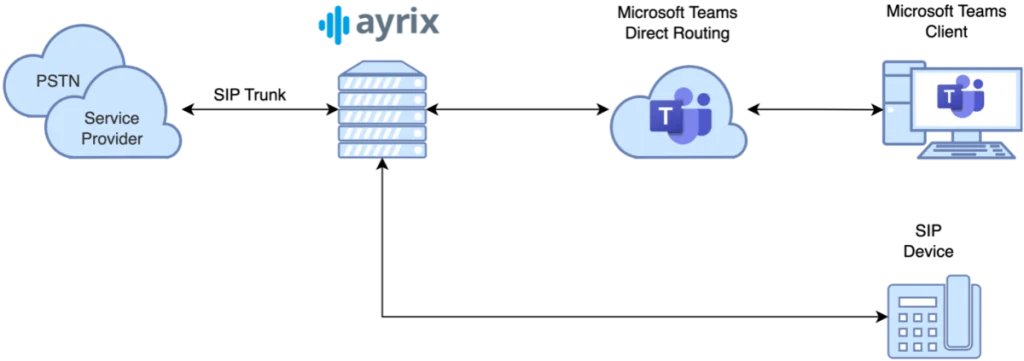
The following diagram illustrates the communication between the service provider, Ayrix PBX, and Microsoft Teams. Ayrix PBX functions as a full-featured PBX. Call flows can be controlled, and SIP endpoints can be registered directly. Communication with the PSTN takes place via a SIP trunk to a service provider. In addition, the Ayrix PBX acts as an SBC (Session Border Controller) to enable communication with Microsoft Teams via «Teams Direct Routing.» This allows calls to be established between the PSTN, SIP endpoints, and the Microsoft Teams client. These call scenarios are illustrated in the following subsections.
Call from PSTN to Microsoft Teams + SIP Device
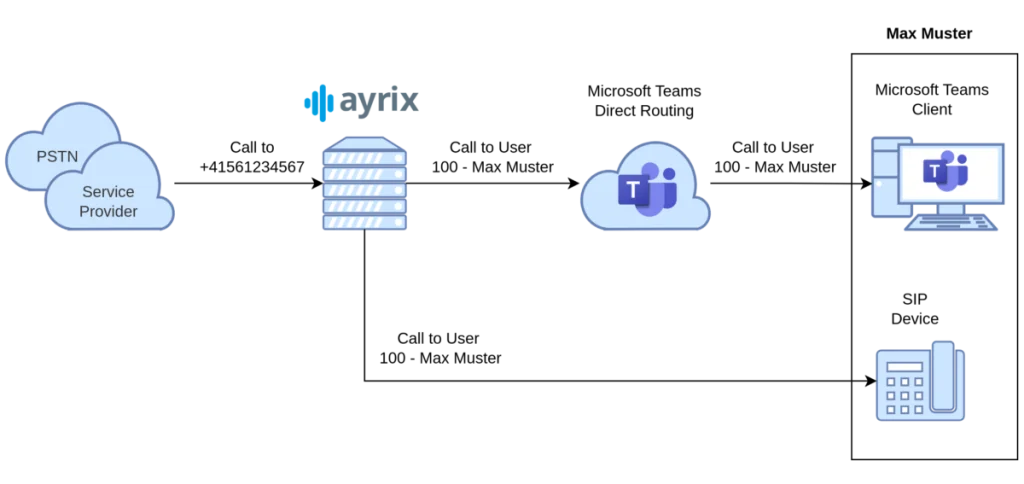
When an incoming call is made to the number +41561234567, the service provider first routes the call to the Ayrix PBX via a SIP trunk. The configured call handling steps are then executed on the PBX. In this example, the incoming call is routed directly to the subscriber «Max Muster.» «Max Muster» uses Microsoft Teams and a SIP endpoint (e.g., a desk phone). The call to «Max Muster» is therefore split into two branches. One branch is routed via «Teams Direct Routing» to Microsoft and thus to the MS Teams client. The other branch goes directly to the SIP endpoint. «Max Muster» can answer the call at either endpoint.
Calls from Microsoft Teams to PSTN
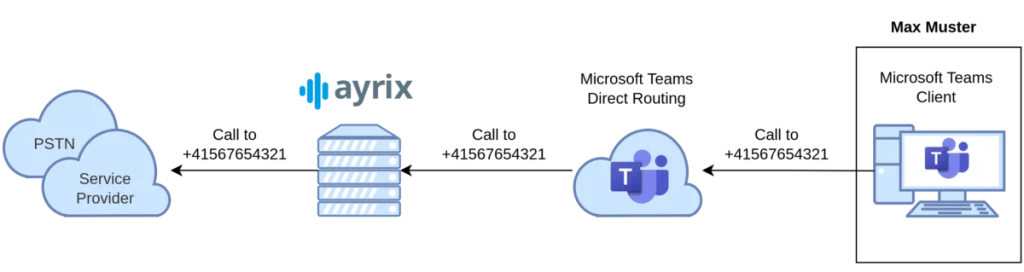
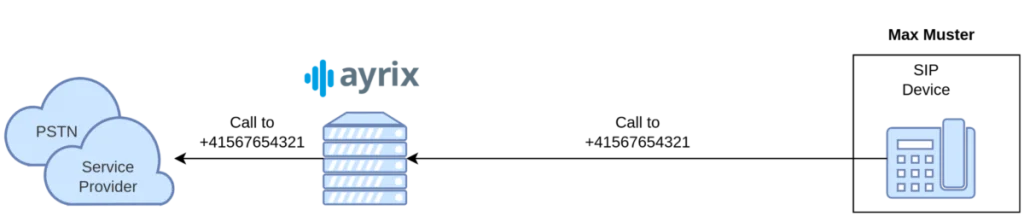
When a call is made from Microsoft Teams (user «Max Muster») to an external number in the PSTN (+41567654321), the call is initiated by the Microsoft Teams client and then routed to the Ayrix PBX via «Teams Direct Routing.» The configured call flow steps are executed on the Ayrix PBX. In this scenario, the call is routed via the SIP trunk to the service provider and thus into the PSTN.
Call from a SIP terminal to the PSTN
When a call is made from a SIP endpoint (e.g., «Max Muster’s» desk phone) to a PSTN number (+41567654321), communication via Microsoft is bypassed. The call is sent directly from the SIP endpoint to the Ayrix PBX. The configured call flow steps are executed on the Ayrix PBX. In this scenario, the call is routed via the SIP trunk to the service provider and thus into the PSTN.
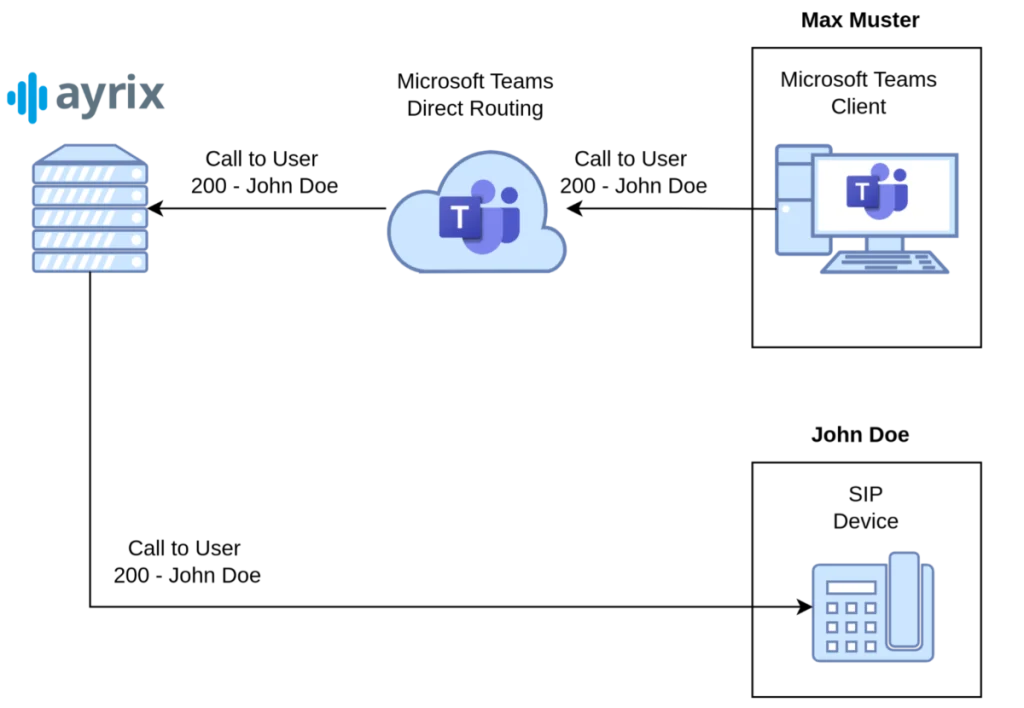
Call from Microsoft Teams to a SIP device (internal)
Participants who do not use the Microsoft Teams client (participant «John Doe») but do use a SIP endpoint can be reached by a Microsoft Teams user (participant «Max Muster») via their internal extension number. The call is initiated by the Microsoft Teams client and then routed to the Ayrix PBX via «Teams Direct Routing.» The configured call flow steps are executed on the Ayrix PBX. In this scenario, the call is routed directly to the SIP endpoint.
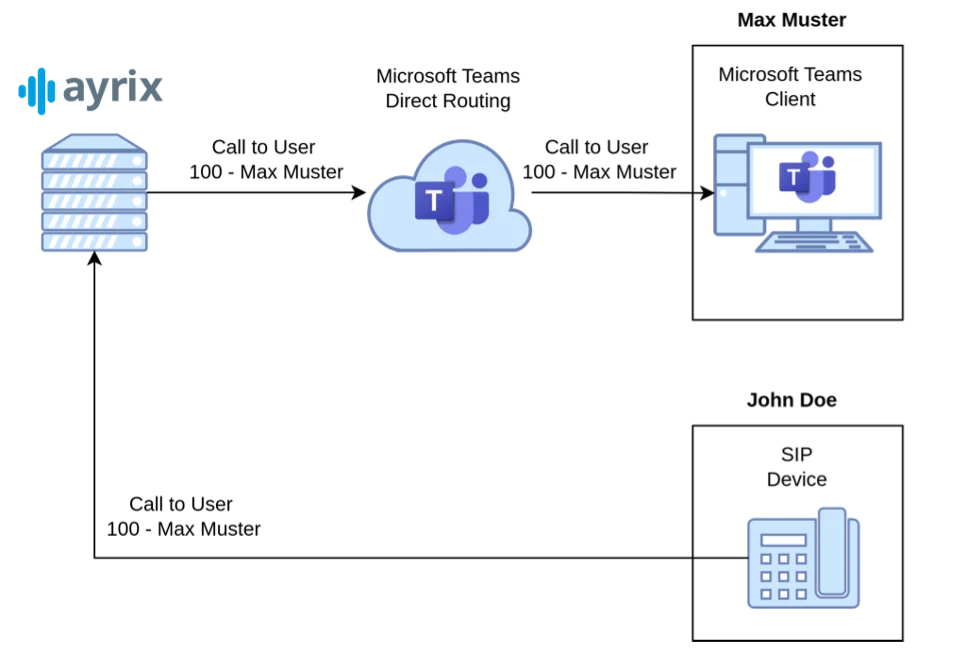
Call from a SIP device to Microsoft Teams (internal)
Participants who use only Microsoft Teams (participant «Max Muster») can be reached by participants using a SIP endpoint (participant «John Doe») via their internal extension number. The call is initiated from the SIP endpoint and routed to the Ayrix PBX. The configured call flow steps are executed on the Ayrix PBX. In this scenario, the call is routed via «Teams Direct Routing» to Microsoft and thus to the MS Teams client.
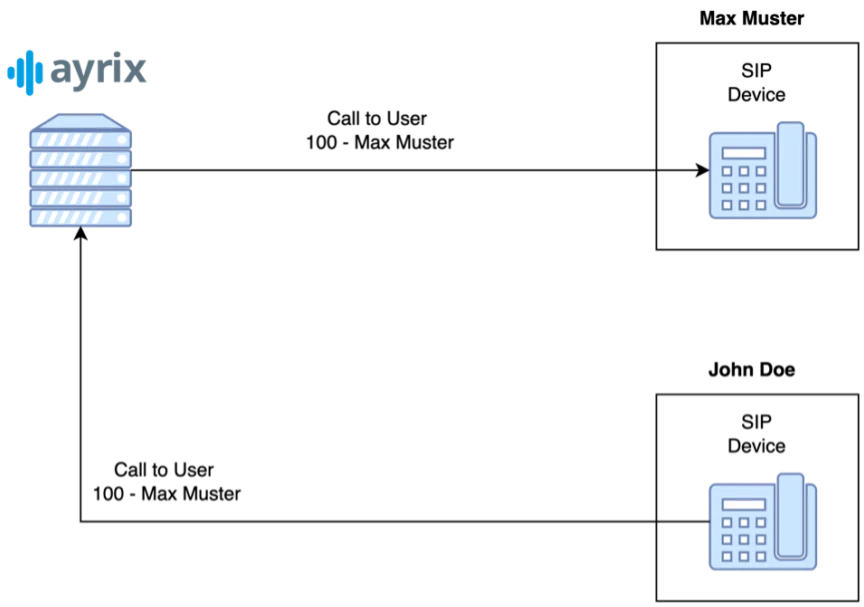
Call from one SIP terminal to another (internal)
Internal calls from one SIP endpoint («John Doe») to another SIP endpoint («Max Muster») are routed directly by the Ayrix PBX. The call is initiated by the SIP terminal and routed to the Ayrix PBX. The Ayrix PBX executes the configured call flow steps and then routes the call directly to the SIP terminal. Communication with Microsoft Teams is not required.
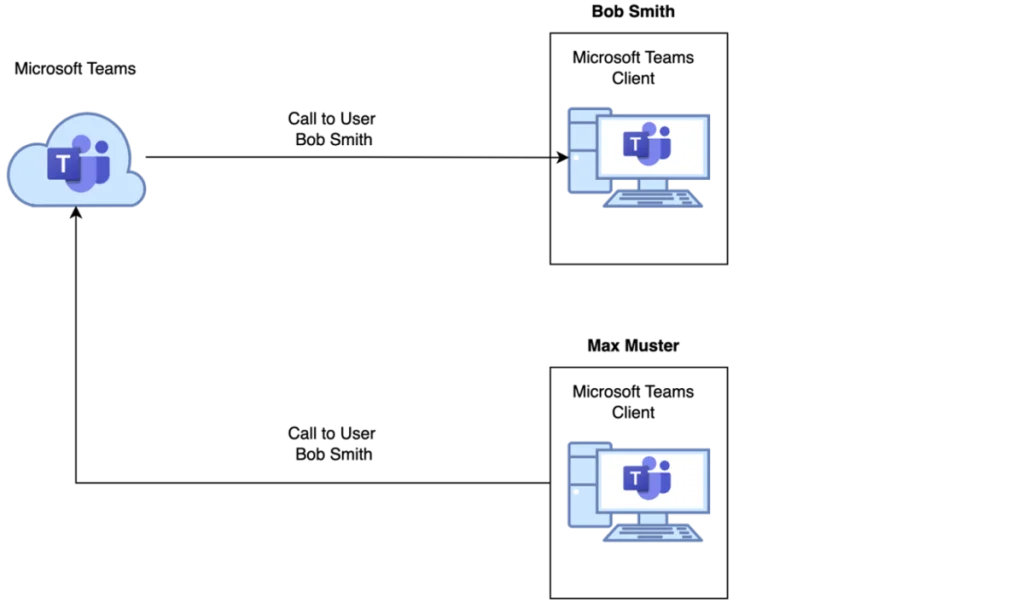
Call from Microsoft Teams to Microsoft Teams (internal)
Internal calls from one Microsoft Teams client («Max Muster») to another Microsoft Teams client («Bob Smith») are routed directly by Microsoft Teams. The call is initiated by the Microsoft Teams client and routed via Microsoft Teams. There is no communication with Ayrix PBX.