









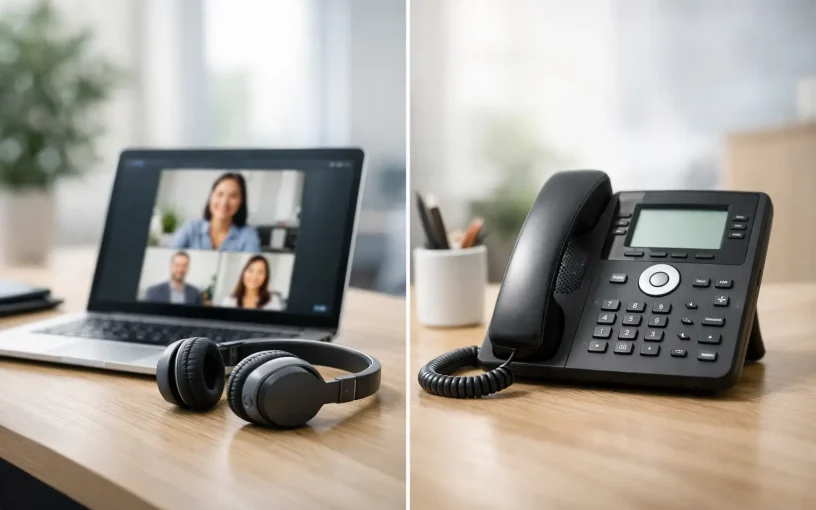
If employees are already working in Microsoft Teams all day, the question seems Teams Calling or VoIP At first glance, it seems like a choice between two technologies. In fact, Teams telephony is itself VoIP. The key factor is something else: Should Teams be just the visible telephony interface, or should it also map out the entire logic of your corporate communications? This distinction determines how well phone numbers, locations, reception, cell phones, and existing systems work together.
For Swiss SMEs and organizations with multiple locations, this isn’t just about a single tool. It’s about accessibility, clear responsibilities, manageable costs, and a telephony system that doesn’t have to be completely overhauled when the company grows or undergoes restructuring.
Teams Calling or VoIP: It's Not Just an Either/Or Question
VoIP stands for Voice over IP, which refers to telephony over an IP connection. This includes cloud PBX solutions, SIP trunks, IP phones, softphones, and calls made through Microsoft Teams. Teams telephony is therefore not an alternative to VoIP, but rather a specific way to use VoIP in a business setting.
The practical choice usually comes down to this: Should you use a standalone VoIP phone system as your central communication platform and integrate Teams with it? Or should you set up external telephony directly within Microsoft Teams? Both approaches can make sense. The right solution depends on the complexity of your reachability requirements and which features are needed outside of Teams.
A business with ten employees, a few direct phone numbers, and a simple call forwarding system has different requirements than an organization with a reception desk, call queues, multiple subsidiaries, international numbers, and CRM integration. Clarifying these differences before making a technical selection helps avoid costly detours.
When Teams Proves Its Worth as a Telephony Workstation
For many companies, Microsoft Teams is already the go-to platform for chats, meetings, files, and internal coordination. When external calling is integrated, employees can make calls using the same interface. They can dial contacts directly from Teams, be reached at their business phone number, and take calls on a PC, mobile device, or compatible desk phone.
This reduces media discontinuity. This is a real advantage, especially in a hybrid work environment: The personal business phone number follows the employee, not the workplace. Presence information can help route calls more effectively. And those who are already proficient in Teams usually need less training for day-to-day phone use.
Teams Calling is a good fit when the focus is on personal availability, location-independent collaboration, and a consistent user interface. Companies that want to replace their traditional phone system and already rely heavily on Microsoft 365 often benefit from it as well.
However, Teams alone does not automatically replace every telephony function. Professional external accessibility often requires more than just extensions and call forwarding. Reception groups, time-controlled announcements, IVR menus, call queues, call forwarding to substitutes, emergency call plans, detailed routing rules, and the integration of door intercoms all require a clear telephony architecture in the background.
Connectivity determines the level of effort and flexibility
To make calls to the public telephone network, Teams requires a connection through a provider or a SIP trunk. Technically, components such as a Session Border Controller (SBC) can be used for this purpose. The SBC connects Teams to the telephone network and handles important tasks related to routing, compatibility, and security.
For businesses, the bottom line is what matters most: Existing Swiss and international phone numbers should be retained, calls should be delivered reliably, and adjustments should be possible without lengthy projects. Therefore, don’t just check whether Teams can handle phone calls—also verify how number porting, outage scenarios, location requirements, and support are handled.
When a VoIP PBX Is the Better Choice
A cloud PBX or on-premises phone system is particularly effective when telephony needs to do more than just handle personal calls. It supports business processes: A call to the main number is routed based on business hours, language, customer group, or availability. A reception desk can handle calls, a support team can manage a call queue, and employees are assigned their own extensions or shared group numbers as needed.
A central VoIP PBX also establishes clear rules for all channels. IP desk phones in the office, softphones in home offices, mobile devices, and Teams can all use the same numbering and routing logic. This is particularly useful in hybrid work models. Not every role works in Teams all day: reception, the warehouse, production, service, or conference rooms often require traditional end devices or specialized functions.
A PBX also demonstrates its strengths when it comes to integrations. About CTI Calls can be integrated with CRM or ERP systems. LDAP integrations simplify centralized contact management. Call data can be utilized—in compliance with data protection regulations and internal policies—for analysis, quality assurance processes, or billing.
An on-premises system may be the right choice if there are specific requirements regarding control, existing infrastructure, or local integrations. A hosted PBX, on the other hand, relieves the internal IT department of the burden of operation, updates, and scaling. There is no one-size-fits-all solution. The key factors are who will operate the platform and what level of availability your company expects.
The integrated architecture combines both advantages
For many companies, the best solution isn’t Teams or a PBX—it’s Teams combined with a full-featured VoIP PBX. Teams remains the familiar user interface for employees. Behind the scenes, the PBX handles the functions that define professional business communications: phone numbers, groups, IVR, call queues, call timing, call forwarding, and the integration of various end devices.
This architecture prevents silos. A new employee does not receive separate rules for Teams, cell phones, and desk phones. A change of location does not require a new number. And if individual components fail, predefined call forwarding rules ensure that important calls are not lost.
The type of integration is key. Separate add-ons, additional licenses, and external SBC components can make the landscape more complex and costs harder to predict. Native integration between the PBX and Microsoft Teams reduces the number of interfaces and simplifies operations. With Winet, the Ayrix PBX can be integrated directly with Microsoft Teams—without separate Teams add-ons or SBC components that require additional licensing fees.
You should consider these points before making a decision
Don't start by asking which license is the cheapest; start by looking at your communication processes. How many main numbers, extensions, and locations do you have? Which teams need call queues or shared phone numbers? Which employees work remotely, and which use an IP phone at a fixed workstation?
Next, clarify the requirements for phone numbers and telephony processes. Existing Numbers should be able to be ported seamlessly. International phone numbers, premium numbers, or custom numbers may be relevant if you serve customers in multiple markets. For service hours, holidays, and on-call arrangements, you need transparent routing rules—not improvised call forwarding to personal cell phone numbers.
The network infrastructure deserves the same attention as the telephony platform. Voice quality depends on sufficient bandwidth, proper network prioritization, and a stable Internet connection. For organizations with multiple locations, site-to-site connectivity, firewall rules, and security strategies must be planned from the very beginning. A SIP trunk without appropriate security measures is not a complete enterprise solution.
Costs should also be considered over the entire operating period. A low per-minute rate is of little help if additional costs for licenses, hardware, SBC operation, administrative overhead, and support are charged separately. Flat rates offer planning certainty for teams with high call volumes, while per-minute rates may be more suitable for teams with low call volumes or those with call volumes that vary significantly from country to country.
Planning a Migration Without an Availability Gap
Switching to Teams calling or a new VoIP PBX doesn’t have to mean that the company’s availability is limited for an entire day. The key is a structured migration. First, phone numbers, users, groups, end devices, and special cases are identified. This is followed by configuration, testing, and the migration on the agreed-upon date.
Particularly important are the scenarios that rarely occur in day-to-day operations but have a major impact: Who answers calls outside of business hours? What happens in the event of an internet outage? How are emergency calls handled at each location? How do customers reach support if an employee is absent? These questions belong in the plan, not in troubleshooting after the go-live.
A phased rollout can reduce risks. First, a small group tests the new environment, followed by other teams or locations. Employees do not need extensive technical training, but they do need clear instructions on call transfer, call forwarding, availability status, and their most important devices.
The best solution doesn’t make your company dependent on a single app. It ensures that employees can communicate easily, customers can reliably reach someone, and your IT department can centrally manage your entire telephony infrastructure. Whether Teams is your primary focus or you’re using a VoIP-PBX: Choose an architecture that supports your processes today and scales with your business tomorrow without the need for unnecessary add-ons.
Current

Cloud Telephony for Teams That Are Always Reachable

IP Phones in the Office for Modern Businesses

Choosing a Video Conferencing Solution for Businesses

Choosing the Right Phone System for Remote Teams

Configuring the Session Border Controller Correctly