








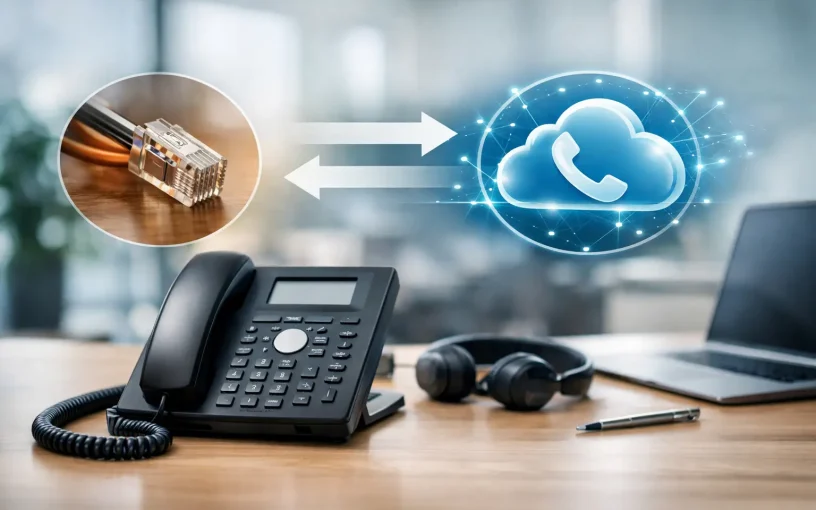
When customers have been dialing the same main number for years, it becomes much more than just a technical identifier. It appears on vehicles, quotes, websites, business cards, and in saved contacts. For many Swiss companies, the ability to port an existing phone number to VoIP is therefore a crucial prerequisite for modernizing their telephony—without having to re-explain how to reach them.
Switching to a cloud PBX, a SIP trunk, or a full Microsoft Teams telephony solution doesn’t have to mean changing your number. The key is thorough preparation, accurate contract information, and a clearly planned switchover date. That way, you can keep your familiar number while a more flexible communication platform is set up behind the scenes.
What Actually Happens During Number Porting
During a number porting process, the telephone system is not physically moved. The right to use one or more phone numbers is transferred from the previous provider to a new carrier or VoIP provider. Starting at the agreed-upon porting date, incoming calls are no longer routed through the previous connection but through the new VoIP infrastructure.
This change is usually invisible to callers. They continue to dial the same geographic landline number or service number. Within the company, however, the call can then be handled in a completely different way: via a cloud-based phone system, an IVR voice prompt, call queues, Teams clients, IP phones, mobile employees, or integrated CRM and ERP systems.
The benefits are especially clear when there are multiple locations. A central phone number can function regardless of where an employee is working. Employees in Zurich, Basel, working from home, or on the go can all be reached according to consistent rules. This reduces the need to forward calls to personal cell phone numbers and results in more professional call handling.
Porting an Existing Phone Number to VoIP: Checking the Requirements
The most common cause of delays is not complex technology, but a discrepancy in the master data. The transferring provider checks whether the information on the porting request exactly matches the existing contract. Even a missing company suffix, an old address, or a different legal name can lead to rejection.
Before placing an order, companies should therefore verify that their current telecommunications contract, the most recent invoice, and the on file account holder information match. Of particular importance are the official company name, legal form, billing address, the phone numbers to be ported, and the customer number with the previous provider. In the case of a series of phone numbers, it must be clear whether all numbers or only individual extensions are to be transferred.
Notice periods also deserve attention. A number porting does not automatically replace every contractual termination. For some connections, the service ends upon successful porting; for others, additional services, Internet access, or hardware contracts remain in effect. Anyone who has combined landline, business Internet, and security services with their current provider should check which components need to continue after the porting process.
A single number, a range of numbers, or extensions?
A single main number is usually easy to assign. It becomes more challenging when dealing with a block of numbers containing multiple extensions. In this case, you must decide in advance which numbers are still needed and how they will be mapped in the new PBX.
For example, a company can route its main number to a reception group, assign sales extensions directly to Teams users, and deactivate numbers that are no longer needed. It is important to test the new routing logic before the porting date. Simply porting a number does not, in and of itself, ensure good accessibility.
The Process: From Order to Activation
A professionally managed number porting process begins with an assessment. This involves gathering information on phone numbers, the current provider, contract status, locations, devices, and the desired destination platform. At the same time, the process defines how incoming and outgoing calls will be handled in the future.
After that, the porting request is submitted with the correct subscriber information. The new provider coordinates the schedule with the previous carrier. Depending on the situation, this can take a few business days or several weeks. It’s especially important to allow plenty of time when dealing with complex blocks of phone numbers, multiple contract partners, or special numbers.
Before the switchover, the target environment is set up. This includes SIP trunks, users, call groups, timing controls, announcements, queues, emergency call configurations, and, if applicable, integration with Microsoft Teams. If desk phones are used, they should also be provisioned and tested in advance.
On the day of the migration, the switchover will take place within a specified time window. A brief interruption is possible, depending on the specific circumstances, but should not pose an unplanned risk. Good preparation means: responsibilities are clearly defined, the new system is operational, a designated contact person monitors availability, and employees know what will change for them on that day.
After the switchover, test calls from external mobile and landline numbers are part of the process. The main number, important extensions, call forwarding, voicemail, and outgoing calls—with the correct caller ID display—are tested. For international numbers or calls to multiple countries, tests should be conducted from the relevant destination networks.
Configure the new phone system before the appointment
A system migration is the perfect opportunity to clean up long-established telephone policies. Otherwise, many companies unknowingly carry over old structures: unclear call forwarding rules, outdated messages, personal extensions of former employees, or call groups without a clear logic for covering for absent staff.
A call-handling plan based on actual workflows is practical. What happens outside of business hours? Who covers for staff on vacation or sick leave? How are urgent calls routed to the on-call team? Should the front desk answer first, or should a specific team be notified directly? And which teams should receive calls from Sales, Support, or Accounting?
With a modern Ayrix PBX, these processes can be managed centrally. When integrated with Microsoft Teams, the Teams client becomes a full-fledged telephony workstation—without the need for separate Teams add-ons or additional SBC components that require a license. This is particularly useful when employees are already working in Teams but still need to be reachable by customers via the familiar business number.
However, there is no one-size-fits-all model. A small business with just a few employees often needs a clear main number, a scheduled announcement and mobile accessibility. An SME with multiple departments is more likely to need queues, presence information, substitution rules, LDAP integration, or CTI for CRM. The port should provide the technical foundation, not unnecessarily complicate existing processes.
Don't Address Security and Call Quality After the Fact
VoIP runs over a data connection. Therefore, the Internet connection, network prioritization, and security strategy directly affect call quality. Anyone transferring phone numbers to a new environment should also verify whether the infrastructure is designed for real-time communication.
For higher call volumes or multiple locations, separate voice VLANs, Quality of Service, appropriate firewall rules, and a session border controller are key components. An SBC protects communications at the interfaces between the corporate network, the phone system, and the service provider, and helps prevent unauthorized access and tampering.
Failover planning is also part of the process. If one location goes down, calls can be routed to other teams, cell phone numbers, or a second location. With cloud-based telephony, the number is not tied to the office line. This requires that these scenarios be deliberately configured and regularly reviewed.
Common Mistakes That Can Be Avoided
The biggest mistake is to treat the migration as a minor administrative task. If the new phone system isn’t set up until the switchover date, there won’t be enough time for testing or to have a Plan B. Terminating the old service prematurely is just as risky. It can result in lost phone numbers or the inability to meet the desired porting deadline.
Problems also arise when internal communication is overlooked. Employees need to know whether their direct extension, phone, the Teams calling feature, or the procedure for call forwarding will change. The reception, support, and sales teams, in particular, benefit from a brief orientation before the launch.
Finally, the outgoing caller ID should be checked. It can be confusing for customers when callbacks suddenly appear as an unknown number. Therefore, verifying that the ported main number or personal extension is displayed correctly is an essential part of any acceptance test.
When It Makes Sense to Seek Personal Assistance with Number Porting
When dealing with a single phone number and a straightforward telephony solution, the process is usually uncomplicated. However, as soon as multiple locations, blocks of phone numbers, Teams telephony, existing SIP trunks, or security-related network requirements come into play, having a dedicated technical contact person is beneficial.
Winet plans number porting in conjunction with the target architecture: from Swiss and international numbers, through SIP and Teams trunks, to the Ayrix phone system, network connectivity, and managed services. This ensures that not only is the number transferred, but that overall reachability is tailored to day-to-day business operations.
Your customers won't even notice the best porting. They'll continue to reach the same familiar number—while, behind the scenes, your company is already communicating in a more flexible, secure, and significantly easier-to-manage way.
Current

Business Internet with an SLA for Your Business

Using Microsoft Teams with Landline Telephony

Planning VoIP Telephony for Businesses the Right Way

Skills shortage in the ICT sector
The value of competent support in telecommunications