

Microsoft Teams mit Festnetztelefonie nutzen
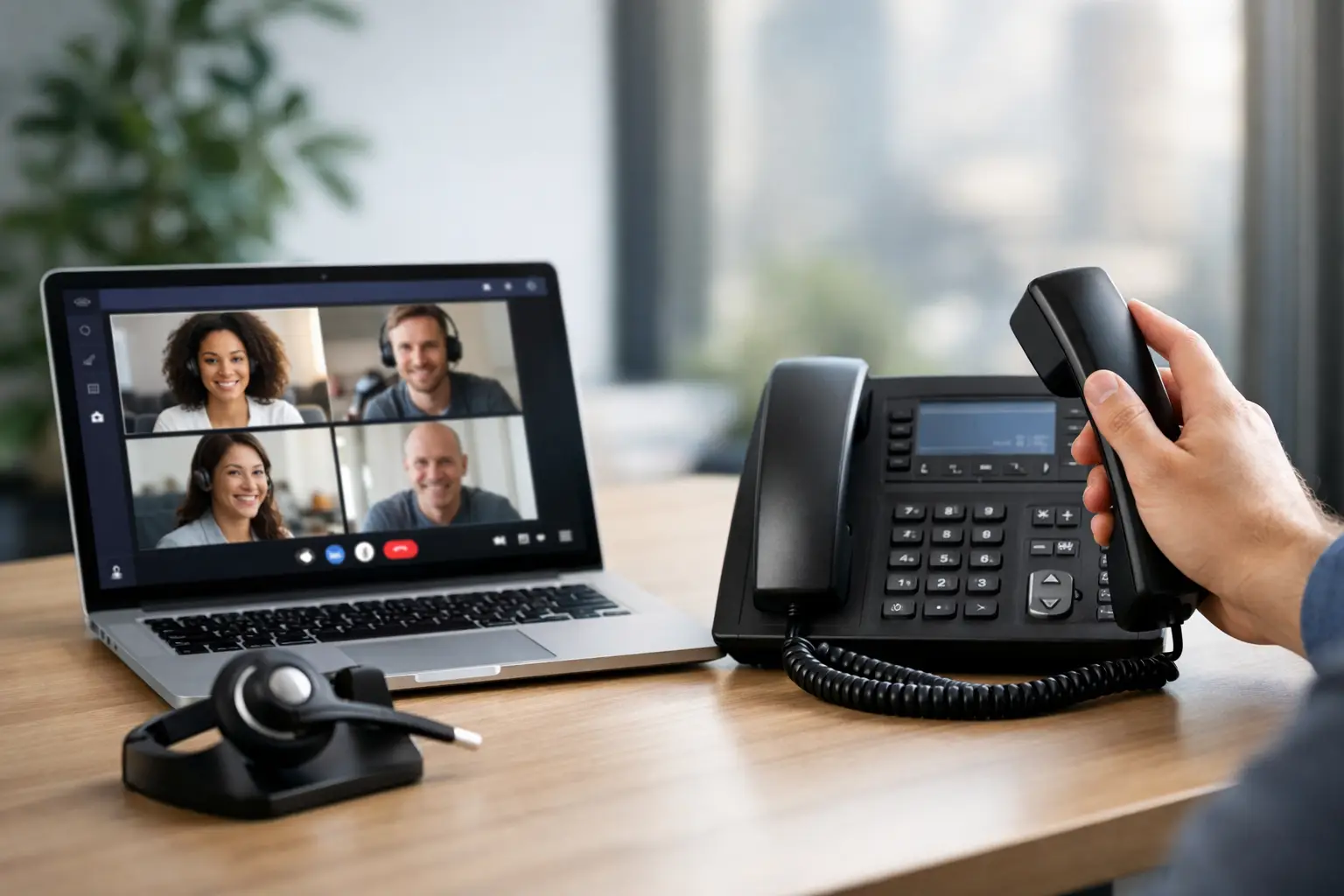
Wenn Mitarbeitende im Homeoffice nur über Teams erreichbar sind, Anrufe auf die Hauptnummer aber weiterhin auf einem separaten Tischtelefon landen, entstehen unnötige Umwege. Microsoft Teams mit Festnetztelefonie bringt beides auf einer Oberfläche zusammen: interne Abstimmung, externe Geschäftsanrufe und die Funktionen einer professionellen Telefonanlage.
Für Schweizer KMU ist das mehr als eine Komfortfrage. Die eigene Rufnummer bleibt erhalten, Kunden erreichen weiterhin die bekannte Hauptnummer und Mitarbeitende telefonieren unabhängig von Arbeitsplatz oder Standort. Entscheidend ist jedoch nicht nur, ob Teams klingelt. Entscheidend ist, wie Rufnummern, Erreichbarkeitsregeln, Sicherheit und bestehende Prozesse sauber integriert werden.
Was Microsoft Teams mit Festnetztelefonie bedeutet
Microsoft Teams ist zunächst eine Collaboration-Plattform für Chat, Meetings und Dateiaustausch. Damit externe Anrufe über das öffentliche Telefonnetz möglich werden, braucht Teams eine Anbindung an die klassische Festnetztelefonie. Diese Verbindung erfolgt über einen Telefonieanbieter und eine geeignete Routing-Architektur, etwa mit SIP-Trunk und Session Border Controller, kurz SBC.
Für Nutzerinnen und Nutzer wirkt das einfach: Sie wählen in Teams eine Schweizer Festnetznummer, nehmen eingehende Anrufe im Teams-Client entgegen oder verwenden bei Bedarf ein IP-Telefon. Im Hintergrund entscheidet die Telefonanlage, welche Nummer angezeigt wird, wo ein Anruf klingelt und welche Regeln für Öffnungszeiten, Gruppen oder Weiterleitungen gelten.
Teams wird damit nicht zwangsläufig selbst zur vollständigen PBX. Je nach Anforderung ergänzt Teams die vorhandene Telefonanlage oder ist direkt mit einer Cloud-PBX verbunden. Gerade für Unternehmen mit Empfang, mehreren Abteilungen oder komplexen Rufgruppen ist dieser Unterschied relevant.
Die Vorteile im Unternehmensalltag
Der offensichtlichste Nutzen liegt in der Erreichbarkeit. Ein Mitarbeiter kann im Büro, im Homeoffice oder unterwegs arbeiten und bleibt unter seiner geschäftlichen Nummer erreichbar. Der Anruf folgt der Person statt einem bestimmten Gerät. Das reduziert verpasste Gespräche und macht hybride Arbeitsformen für Kunden unsichtbar.
Ebenso wichtig ist die einheitliche Bedienung. Mitarbeitende müssen nicht zwischen Softphone, Mobiltelefon und Teams wechseln, um zu telefonieren oder Kontakte zu suchen. Präsenzinformationen helfen dabei, Kolleginnen und Kollegen gezielt zu erreichen. Ein Anruf lässt sich weiterleiten, in eine Warteschlange übergeben oder mit Rückfrage an die richtige Fachperson vermitteln.
Aus Sicht der IT vereinfacht eine zentral verwaltete Lösung die Administration. Neue Mitarbeitende erhalten ihre Nummer, Berechtigung und Telefonieeinstellungen nach klaren Regeln. Bei Wachstum, saisonalen Teams oder neuen Standorten lässt sich die Kapazität anpassen, ohne an jedem Arbeitsplatz eine klassische Anlage umbauen zu müssen. Planbare Flatrates oder minutengenaue Tarife schaffen zusätzlich Transparenz bei den laufenden Kosten.
Welche Telefoniefunktionen Teams allein nicht automatisch löst
Für einfache Direktdurchwahlen kann eine Teams-Anbindung genügen. In vielen Unternehmen beginnt professionelle Telefonie aber vor dem ersten Gespräch: Der Anrufer hört eine Ansage, wählt eine Abteilung, landet in einer Warteschlange und wird bei Nichtannahme nach definierten Regeln weitergeleitet. Diese PBX-Funktionen müssen zuverlässig zur Organisation passen.
Dazu gehören beispielsweise IVR-Menüs, zeitgesteuerte Ansagen, Chef-Sekretariat-Schaltungen, Gruppenruf, Pick-up-Gruppen, Besetztlampenfelder und detaillierte Weiterleitungsregeln. Auch die Anzeige der zentralen Unternehmensnummer statt einer persönlichen Durchwahl ist für Vertrieb, Service oder Empfang oft unverzichtbar.
Wer CRM- oder ERP-Systeme nutzt, sollte zudem CTI-Funktionen prüfen. Ein Klick auf eine Telefonnummer, die Anzeige des Anrufers beim Klingeln oder die Protokollierung von Gesprächen können Abläufe spürbar beschleunigen. Solche Integrationen hängen jedoch von der eingesetzten PBX, dem CRM und den gewünschten Prozessen ab. Eine pauschale Teams-Lösung ersetzt keine saubere Anforderungsaufnahme.
Die passende Architektur: Teams, SIP-Trunk und PBX
In der Praxis gibt es mehrere Wege, Microsoft Teams an die Festnetztelefonie anzubinden. Welcher sinnvoll ist, hängt von der vorhandenen Infrastruktur, den Funktionen und den Sicherheitsvorgaben ab.
Bei Direct Routing verbindet ein SBC Teams mit einem SIP-Trunk oder einer Telefonanlage. Dieses Modell bietet viel Flexibilität, etwa bei bestehenden Rufnummernblöcken, mehreren Standorten oder besonderen Routing-Regeln. Der SBC übernimmt dabei eine zentrale Sicherheits- und Vermittlungsfunktion zwischen Microsoft-Umgebung und Telefonienetz. Er sollte professionell betrieben, überwacht und aktuell gehalten werden.
Eine Cloud-PBX mit nativer Teams-Integration ist häufig der pragmatische Weg für KMU. Die Telefonanlagenfunktionen bleiben in der PBX, Teams wird zum vertrauten Endgerät für die Mitarbeitenden. Bei Winet lässt sich die Ayrix-PBX direkt mit Microsoft Teams verbinden, ohne separate Teams-Add-ons oder lizenzkostenpflichtige SBC-Komponenten. Das kann Komplexität und laufende Kosten reduzieren, sofern die benötigten Funktionen mit diesem Modell abgedeckt sind.
Für einzelne Arbeitsplätze oder sehr standardisierte Anforderungen können auch stärker vorkonfigurierte Telefonieangebote passen. Sie sind oft schneller eingeführt, bieten aber weniger Spielraum bei individuellen Routing-Logiken, Integrationen oder internationalen Nummern. Wer mehrere Standorte, ein Service-Team oder gewachsene Telefonieprozesse betreibt, fährt mit einer flexibel konfigurierbaren PBX meist besser.
Rufnummern portieren und professionell erreichbar bleiben
Die Hauptnummer ist Teil der Unternehmensidentität. Bei einem Wechsel zu Teams-Telefonie muss sie deshalb nicht aufgegeben werden. Bestehende Schweizer Festnetznummern und Durchwahlblöcke können in der Regel portiert werden. Wichtig sind vollständige Unterlagen, die korrekte Vertragsinhaberschaft und eine realistische Terminplanung.
Die Portierung sollte erst erfolgen, wenn Routing, Endgeräte und Benutzerrechte getestet sind. Während der Umstellung braucht es einen klaren Ablauf: Wer ist erreichbar, wenn es Rückfragen gibt? Welche Rufgruppen werden zuerst aktiviert? Wie werden Notfallnummern und externe Weiterleitungen geprüft? Ein geplanter Wechsel ausserhalb kritischer Geschäftszeiten minimiert Risiken.
Auch neue Rufnummern lassen sich gezielt einsetzen, etwa für neue Standorte, Kampagnen oder internationale Märkte. Dabei lohnt sich eine klare Nummernstrategie. Eine zentrale Hauptnummer schafft Wiedererkennung, während Durchwahlen und Funktionsnummern die interne Zuordnung vereinfachen.
Sicherheit und Sprachqualität gehören zur Planung
Telefonie über Teams ist von einer stabilen Internetverbindung abhängig. Für ein einzelnes Homeoffice gelten andere Anforderungen als für ein Büro mit 50 gleichzeitig telefonierenden Personen. Bandbreite allein reicht nicht aus. Latenz, Paketverluste, WLAN-Abdeckung und die Priorisierung von Sprachdaten beeinflussen direkt, ob Gespräche klar verständlich bleiben.
Ein Business-Internetanschluss mit sinnvoll konfiguriertem Netzwerk ist daher Teil der Telefonielösung. Quality of Service kann Sprachverkehr priorisieren, eine Firewall schützt Übergänge und eine Standortvernetzung sorgt dafür, dass mehrere Büros nach einheitlichen Regeln arbeiten. Bei anspruchsvollen Umgebungen sollte auch die Ausfallsicherheit geprüft werden, beispielsweise durch redundante Internetzugänge oder definierte Umleitungen bei Störungen.
Datenschutz und Zugriffskontrolle verdienen dieselbe Aufmerksamkeit. Administratoren benötigen klar abgegrenzte Rollen, Änderungen an Rufumleitungen sollten nachvollziehbar sein und externe Schnittstellen müssen abgesichert werden. Ein gemanagter SBC oder Managed Service kann hier sinnvoll sein, wenn intern keine Ressourcen für Betrieb, Monitoring und Updates vorhanden sind.
So gelingt die Einführung ohne Telefoniechaos
Eine gute Einführung startet nicht mit Lizenzen, sondern mit dem Anrufplan. Welche Nummern existieren? Welche Teams nehmen Anrufe entgegen? Wo gibt es Öffnungszeiten, Bereitschaftsdienste oder Sonderregeln? Erst danach wird festgelegt, welche Funktionen in Teams, in der PBX oder in einer Fachanwendung liegen sollen.
Anschliessend empfiehlt sich ein Pilot mit einer überschaubaren Nutzergruppe. Dabei zeigen sich Fragen, die auf dem Papier oft fehlen: Soll das Tischtelefon parallel klingeln? Welche Nummer wird bei externen Anrufen übermittelt? Funktioniert die Übergabe an den Empfang? Wie reagieren Mitarbeitende auf Headsets und Teams-Präsenz?
Schulungen müssen nicht lang sein, aber praxisnah. Drei reale Szenarien reichen oft: einen Kunden anrufen, einen Anruf weiterleiten und die eigene Erreichbarkeit richtig einstellen. Für Administratoren braucht es zusätzlich eine dokumentierte Zuständigkeit für Nummern, Gruppen und Änderungen. So bleibt die Lösung auch nach dem Projekt beherrschbar.
Microsoft Teams mit Festnetztelefonie funktioniert dann am besten, wenn Technik und Erreichbarkeit gemeinsam geplant werden. Wer die eigenen Anrufwege zuerst sauber ordnet, schafft nicht nur eine moderne Telefonieoberfläche, sondern eine Kommunikationsstruktur, die mit dem Unternehmen wachsen kann.